
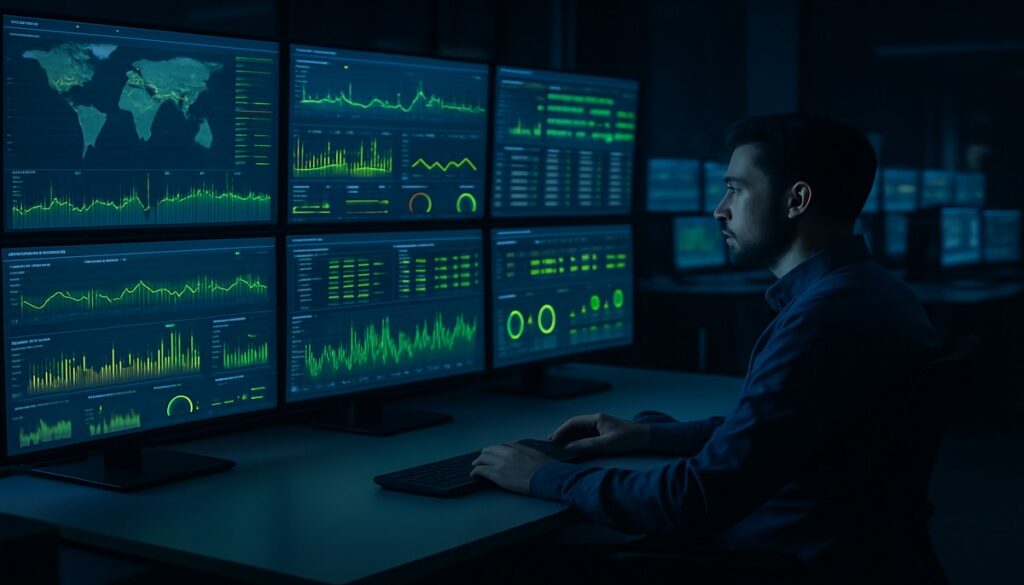
Most businesses in Manchester lock their front door at night. They set the alarm, maybe check the CCTV is recording, and then head home. But their IT systems? Those stay on. Servers keep running, the network stays live, emails keep flowing — and if something goes wrong at 2am, nobody finds out until staff arrive at 8:30am to face a crisis.
That’s the core problem that 24/7 IT monitoring solves. And for businesses that rely on technology to operate, it’s not a luxury — it’s the standard.
What Is 24/7 IT Monitoring?
24/7 IT monitoring means having systems — and often people — watching your technology around the clock. Not once a day when someone remembers to check. Continuously.
A proper monitoring setup tracks the health of your servers, network, devices, software, and security in real time. It flags anomalies the moment they appear: a server overheating, a firewall rule being changed, a device connecting that shouldn’t be there, or a backup that quietly failed three nights ago. Without it, your IT infrastructure is effectively unsupervised for 16 hours a day — every single day.
The Window of Opportunity You’re Giving Attackers
Cyber attacks don’t follow business hours. In fact, many are timed deliberately for nights, weekends, and bank holidays — precisely when defences are thinnest and response times slowest.
Ransomware typically takes between 2-12 hours to fully encrypt a network once it gets in. If that starts at midnight on a Friday, your business could be completely locked out by Saturday morning with nobody aware until Monday. For businesses across Greater Manchester and Sale, the average cost of a ransomware attack on an SME now runs well into six figures when you factor in downtime, recovery costs, lost revenue, and reputational damage.
A breach that might have been contained in 20 minutes with proper 24/7 IT monitoring can become a multi-week disaster without it. That’s a risk no sensible business owner should be comfortable with.
What Gets Missed Without Monitoring
Here’s the reality of unmonitored IT infrastructure. These are the events that quietly compound while no one is watching:
- Failed backups — Around 30% of backups fail silently. Nobody checks. Then disaster strikes and there’s nothing to restore from.
- Hardware degradation — Servers give plenty of warning before they fail: rising temperatures, increasing error rates, failing drives. Without monitoring, those warnings go unseen until catastrophic failure.
- Network intrusions — A compromised device on your network can sit there for weeks, harvesting data, before anyone notices.
- Software update failures — Critical security patches that didn’t apply properly leave known vulnerabilities wide open.
- Connectivity issues — If your internet connection drops at 3am and doesn’t recover, your entire team loses access to cloud services before anyone arrives.
- Abnormal user activity — Staff accounts logged in from unusual locations, at unusual times, accessing unusual data. Classic signs of credential theft.
None of these scream for attention. They sit quietly in log files that nobody looks at — until the damage is done. If you’re wondering how much exposure your business might have, reviewing your cyber security posture is a sensible starting point.
The Difference Between Reactive and Proactive IT
Most businesses operate reactively: something breaks, they call their IT company, it gets fixed. That works, up to a point. But reactive IT always comes at a cost — usually at the worst possible time.
Proactive IT monitoring flips this on its head. Instead of waiting for problems to surface, issues are identified and resolved before they cause disruption. A hard drive showing early signs of failure gets replaced on a planned schedule rather than failing at 9am on a Tuesday when everyone’s trying to work.
The economics are significant. An emergency server recovery can run into thousands of pounds and take days. Replacing a flagged failing drive proactively costs a fraction of that and takes an hour. This is why properly monitored IT infrastructure tends to cost businesses less in the long run, not more. The monitoring investment pays for itself the first time something serious is caught before it escalates.
What Good 24/7 IT Monitoring Looks Like
Not all monitoring is equal. Basic monitoring might ping your server every few minutes to check it’s responding. Proper enterprise-grade monitoring is considerably more comprehensive:
- Real-time alerting — Automatic alerts the moment a threshold is breached, not hourly summaries
- Security event monitoring — Tracking login attempts, firewall changes, suspicious traffic patterns
- Performance baselines — Understanding what “normal” looks like so anomalies stand out immediately
- Patch compliance tracking — Knowing exactly which devices are patched, which aren’t, and why
- Backup verification — Confirming backups completed successfully, not just that they ran
- Clear escalation procedures — Defined protocols for who gets contacted, when, and how urgently
For Manchester businesses in legal, financial services, healthcare, or any regulated sector, this level of oversight isn’t optional — it’s increasingly expected by regulators and cyber insurers alike. Many cyber insurance policies now require evidence of active monitoring before they’ll pay out on a claim.
Do You Need a SOC, or Is MDR Enough?
Larger enterprises run Security Operations Centres (SOCs) — dedicated teams watching screens around the clock. For most SMEs, that’s not realistic. What makes sense for most Manchester businesses is Managed Detection and Response (MDR) combined with a managed IT support partner who monitors your broader infrastructure health.
MDR services provide 24/7 monitoring of your security posture and respond to threats automatically or with human intervention. Paired with full managed IT support, you get comprehensive coverage without the overhead of an in-house team. It’s enterprise-level protection at a cost structure that actually makes sense for an SME.
The 3am Test
Here’s a simple way to assess your current position: if a critical server failed at 3am tonight, when would you find out?
If the answer is “when someone comes in tomorrow morning” — that’s a problem. If the answer is “we’d never know it was failing until it completely gave out” — that’s a bigger problem.
The businesses we work with across Greater Manchester, Sale, and the wider Trafford area are often surprised at how much is happening in their IT environment that they have no visibility over. Not because their current IT setup is bad, but because nobody’s been looking. Getting that visibility in place is the first step to properly protecting what you’ve built. If you’d like to understand where your gaps are, our team is available to help — get in touch for a straightforward, no-pressure conversation.
Frequently Asked Questions
What does 24/7 IT monitoring actually involve?
It involves continuous, automated checking of your servers, network devices, and security systems, with real-time alerts and human oversight when issues arise. Think of it as CCTV for your IT infrastructure — running around the clock, not just during office hours.
Is 24/7 IT monitoring only for large businesses?
Not at all. SMEs are increasingly targeted by attackers precisely because their defences tend to be weaker. Monitoring services are now available at price points that make sense for businesses with as few as five employees, making it accessible for most Manchester companies.
How much does 24/7 IT monitoring cost for a Manchester business?
Costs vary based on the size of your infrastructure, but most SMEs can expect to pay between £150 and £600 per month for comprehensive managed monitoring. That’s typically far less than the cost of a single serious IT incident or ransomware attack recovery.
Will 24/7 monitoring slow down my network?
No. Monitoring agents are lightweight and designed to have negligible impact on performance. In fact, by catching performance issues early, good monitoring often improves overall network speed and reliability over time.
Do I need 24/7 monitoring if I already have a firewall and antivirus?
Yes. Firewalls and antivirus are important but passive defences — they block known threats but can’t tell you about unusual behaviour, hardware degradation, backup failures, or the dozens of other issues that active monitoring catches in real time.
How quickly does 24/7 monitoring detect a problem?
With properly configured real-time alerting, issues are typically detected within seconds or minutes of occurring. Response times then depend on the severity classification and your agreed escalation procedure with your IT partner.
Can 24/7 IT monitoring help with GDPR compliance?
Yes. Continuous monitoring provides detailed audit logs of who accessed what and when, detects unusual data access patterns, and helps demonstrate that appropriate technical security measures are in place — all of which support your GDPR obligations under UK law.
