
Every business carries IT risk. The question is not whether your systems have vulnerabilities — they do — but whether you know what they are and have a plan to deal with them. An IT risk assessment gives you exactly that: a structured picture of where your risks are, how serious they are, and what to fix first. For businesses in Manchester and Sale, where cyber incidents are increasingly targeting SMEs alongside large enterprises, this kind of visibility is no longer optional.
This guide explains what an IT risk assessment involves, how to identify your most significant vulnerabilities, and how to prioritise remediation when you cannot fix everything at once.
What Is an IT Risk Assessment?
An IT risk assessment is a systematic process for identifying, analysing, and evaluating risks to your information systems and data. It looks at the threats your business faces, the vulnerabilities those threats could exploit, and the potential impact if something goes wrong.
The output is typically a risk register: a prioritised list of issues, each with an assigned risk rating, an owner, and a recommended action. Done properly, an IT risk assessment is not just a snapshot — it feeds into ongoing decisions about security investment, insurance, compliance, and IT strategy.
IT risk assessments are increasingly expected by:
- Cyber insurers, who now audit security controls at renewal
- Regulated industries (FCA, SRA, DSPT, ICO) with explicit risk management requirements
- Large clients in the supply chain who require vendors to demonstrate security posture
- Cyber Essentials and ISO 27001 certification bodies
Even without an external requirement, a risk assessment gives you a defensible basis for IT decisions — particularly useful when you need to justify security spend to directors or partners who want to know why something needs to happen.
Identifying Your Vulnerabilities
The identification phase of an IT risk assessment looks across your systems, processes, and people for weaknesses that could be exploited. For Manchester businesses, this typically covers:
Technical Vulnerabilities
These are the most visible category and include unpatched software, outdated operating systems, misconfigured firewalls, weak passwords, open ports, and poorly secured remote access. A vulnerability scan — using tools such as Nessus, Qualys, or similar — can identify many of these automatically, but the results need interpreting by someone who understands your environment.
Common findings for Greater Manchester SMEs include Windows machines still running outdated builds, remote desktop protocol (RDP) exposed directly to the internet, cloud storage with overly permissive sharing settings, and email infrastructure lacking SPF, DKIM, and DMARC records.
Process Vulnerabilities
These are gaps in how your business operates: no formal offboarding process when staff leave (leaving active accounts behind), no patch management schedule, shared administrator credentials, or no tested backup restoration procedure. These are often more dangerous than technical vulnerabilities because they represent habitual gaps rather than one-off oversights.
People Vulnerabilities
Social engineering remains one of the most effective attack vectors. Staff who have not received phishing awareness training, who reuse passwords across personal and work accounts, or who do not know what to do if they suspect an incident are a significant risk — not through any fault of their own, but through lack of training and clear procedures.
Third-Party and Supply Chain Vulnerabilities
Your risk does not end at your network perimeter. If a supplier or software vendor has poor security, that becomes your risk too. Many of the most damaging cyber incidents in recent years — SolarWinds, MOVEit, Kaseya — were supply chain attacks. An IT risk assessment should consider what access your suppliers have to your systems and data, and whether that access is appropriately controlled.
How to Prioritise What to Fix
Once you have a list of vulnerabilities, you face the same challenge every business faces: limited time, limited budget, and more issues than you can address at once. Prioritisation is therefore the most important — and most underserved — part of the process.
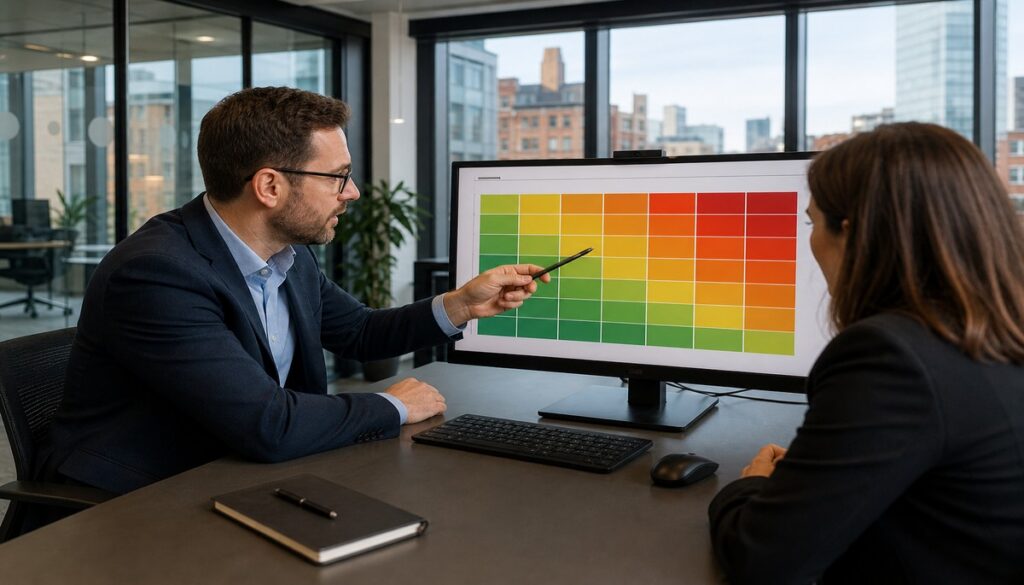
Risk Rating: Likelihood × Impact
The standard approach is to rate each vulnerability on two dimensions: how likely it is to be exploited, and what the impact would be if it were. Multiply these together and you get a risk score that lets you compare issues across different categories.
A simple 1–5 scale works well for most SMEs. An unpatched internet-facing server might score 5 for likelihood (attackers actively scan for these) and 5 for impact (full system compromise), giving a risk score of 25. An outdated internal application that only a few staff access might score 2 for likelihood and 2 for impact — a score of 4 that can wait.
CVSS Scores for Technical Vulnerabilities
For specific software vulnerabilities, the Common Vulnerability Scoring System (CVSS) provides a standardised score from 0 to 10. Critical vulnerabilities (9.0–10.0) with known exploit code in the wild need immediate attention. High vulnerabilities (7.0–8.9) on internet-facing systems should be patched within days, not weeks.
Your IT support provider should be monitoring CVSS scores for software your business uses and triaging patches accordingly — not treating every update as equivalent regardless of severity.
Business Impact Analysis
Not all systems are equal. A vulnerability in your point-of-sale system or CRM is more urgent than the same vulnerability in an internal reporting tool that is rarely used. Business impact analysis identifies which systems are critical to operations, which hold sensitive data, and which, if compromised, would cause the most harm.
Manchester businesses should map their systems against three questions: What would happen if this became unavailable? What would happen if the data in it were stolen? What would happen if someone could tamper with it? The answers reveal your true priorities.
Quick Wins vs Strategic Fixes
Not everything on a risk register requires a major project. Many of the most impactful security improvements are relatively quick to implement: enabling MFA on email and remote access, disabling unused accounts, ensuring all backups are tested, applying outstanding patches. These quick wins should happen immediately, in parallel with longer-term strategic work such as network segmentation or a formal disaster recovery plan.
Building a Remediation Plan
A risk register is only useful if it drives action. Each item should have:
- An assigned owner — the person or team responsible for resolving it
- A target resolution date, based on the risk rating
- A defined remediation action — patch, configuration change, process update, or accepted risk
- A review checkpoint to confirm resolution
Accepted risk deserves a mention: sometimes the cost of fixing a vulnerability outweighs the risk it poses. Formal acceptance — documented and signed off by a director or senior manager — is a legitimate outcome of a risk assessment. What is not acceptable is leaving vulnerabilities unaddressed because nobody got around to them.
How Often Should You Run an IT Risk Assessment?
For most Manchester SMEs, a formal IT risk assessment annually is a reasonable baseline, supplemented by ongoing monitoring and trigger-based reviews. Triggers that should prompt an immediate review include:
- A significant change to your IT infrastructure (new system, cloud migration, office move)
- A change in how staff work (new remote working arrangements, BYOD introduction)
- A security incident — your own or a high-profile one affecting similar businesses
- A new compliance requirement or audit
- Key staff departures, particularly IT or senior staff with broad system access
Ongoing vulnerability scanning — automated tools that run continuously and flag new issues as they emerge — is increasingly standard for businesses that want to maintain visibility between formal assessments.
How PC Express IT Can Help
PC Express IT provides business IT support across Manchester, Sale, Altrincham, and Greater Manchester, including IT risk assessments tailored to SMEs. We help businesses identify vulnerabilities, produce clear prioritised risk registers, and implement remediations — without turning it into an overwhelming project.
If you are unsure where your business stands, our cyber security team can run an initial assessment and give you a straight answer about your most pressing risks. We also provide ongoing managed IT support that includes continuous monitoring, patch management, and regular security reviews, so risk assessment becomes a habit rather than a one-off event.
Contact us at pcexpressit.co.uk/contact to discuss an IT risk assessment for your business. We work with businesses of all sizes across Sale, Trafford, Manchester, Stockport, Altrincham, and beyond.
Frequently Asked Questions: IT Risk Assessment
What is the difference between an IT risk assessment and a penetration test?
An IT risk assessment is a broad evaluation of your risks across technology, processes, and people — it identifies vulnerabilities and rates their severity but does not actively exploit them. A penetration test is a targeted, simulated attack that attempts to exploit specific vulnerabilities to confirm they are real. Risk assessments are typically the first step; penetration testing validates specific findings or provides assurance to auditors and insurers.
How long does an IT risk assessment take?
For a typical Manchester SME, a thorough IT risk assessment takes between one and three days of active work, spread over one to two weeks. This includes discovery interviews with key staff, technical scanning, documentation review, and production of the risk register. The exact timescale depends on the complexity of your infrastructure and how many systems are in scope.
Do I need an IT risk assessment to get cyber insurance?
Not always required by name, but cyber insurers increasingly ask detailed questions about your security controls as part of the underwriting process. These questions are effectively a risk assessment by another name. Having a formal, documented risk assessment makes those conversations considerably easier and may help you secure better terms. Some insurers offer premium discounts for businesses that demonstrate mature risk management practices.
What is a CVSS score and why does it matter?
CVSS stands for Common Vulnerability Scoring System. It is a standardised method for rating the severity of software vulnerabilities on a scale of 0 to 10. Critical scores (9.0–10.0) indicate vulnerabilities that are easy to exploit and can cause severe damage. CVSS scores help IT teams prioritise patching — a Critical score on an internet-facing system needs same-day attention, while a Low score on an isolated internal tool can wait for the next maintenance window.
Can a small business in Manchester afford an IT risk assessment?
Yes. IT risk assessments do not have to be expensive enterprise engagements. For SMEs, a focused assessment covering your core systems, remote access, email security, and data handling can be done affordably by a local IT support provider with security expertise. The cost of an assessment is typically far less than the cost of a single incident — the average ransomware attack costs UK SMEs tens of thousands of pounds in recovery alone.
What should a risk register include?
A good risk register includes: a description of each vulnerability or risk, the system or process affected, the threat it represents, a likelihood rating, an impact rating, a combined risk score, the recommended remediation action, an owner, and a target resolution date. Some registers also track the residual risk after remediation is complete, which helps demonstrate improvement over time and satisfies auditors.
How does an IT risk assessment help with GDPR compliance?
UK GDPR’s Article 32 requires organisations to implement appropriate technical and organisational measures to protect personal data, based on the risks involved. An IT risk assessment is a direct way to fulfil this obligation — it documents the risks you have identified, the measures you have put in place, and the reasoning behind your decisions. The ICO expects businesses to be able to demonstrate this risk-based approach if they are ever investigated following a data breach.