
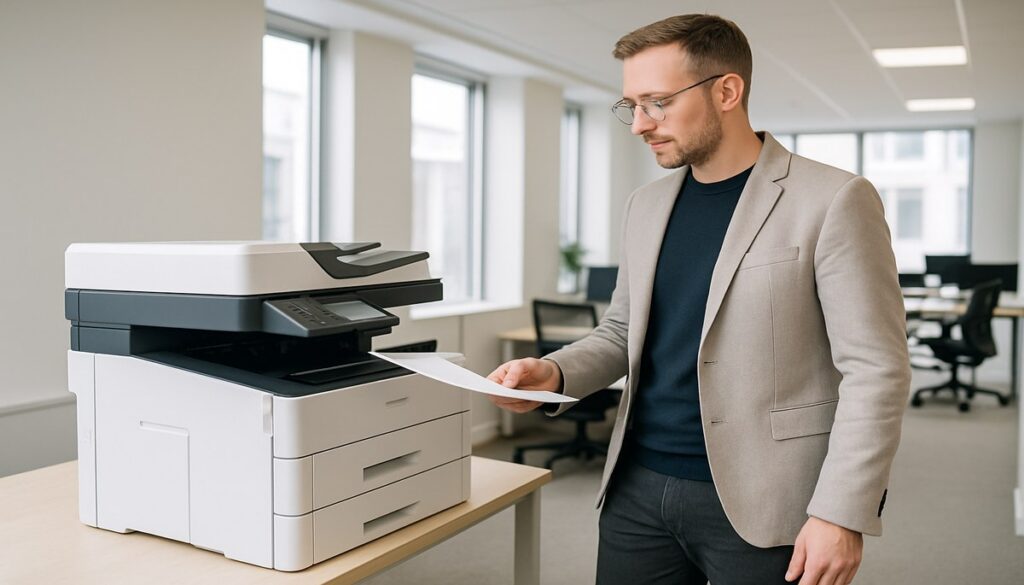
The office printer rarely makes it onto the board agenda. Yet for many Manchester businesses, it sits at the intersection of two significant operational problems: unnecessary cost and document security risk. Unmanaged print environments bleed money quietly, and they expose sensitive information in ways that most business owners simply haven’t considered.
This guide covers what print management actually involves, the document security risks of ignoring it, and what businesses across Sale, Altrincham, and central Manchester can do to get control of their printing infrastructure in 2026.
What Is Print Management?
Print management is the process of monitoring, controlling, and optimising how documents are printed across an organisation. It covers everything from which devices users can access, how many pages each department consumes, and whether sensitive documents are being left uncollected in printer trays.
At its most basic level, print management is a cost-control exercise. At its most comprehensive, it is a data security strategy. For Manchester businesses handling client data, financial records, or anything regulated under GDPR, it needs to be both.
The Hidden Cost of Unmanaged Printing
Most businesses have no clear picture of what they spend on print. Research consistently shows that print costs represent 1-3% of annual revenue for many organisations, and a significant portion of that spend is entirely avoidable.
Common waste areas include:
- Uncollected print jobs – sent, printed, and immediately binned
- Personal documents printed on company devices
- Colour printing where black and white would suffice
- Single-sided output when duplex is available
- Devices left running overnight and at weekends
- Over-provisioned consumables sitting unused in storage
Businesses across Greater Manchester that have implemented print management typically report cost reductions of 20-30% within the first year. For a business spending £20,000 annually on print, that is £4,000-6,000 returning to the budget without cutting any real business activity.
Document Security: The Overlooked Risk
Cost is one concern. Security is another, and arguably the more pressing issue in 2026.
The UK GDPR introduced strict requirements around how personal data must be handled, stored, and disposed of. Printed documents fall squarely within scope. A salary report, a client contract, or a medical referral left sitting in a printer tray in an open-plan office is a data breach waiting to happen. Ignorance of the rules is not a defence.
The Most Common Print Security Vulnerabilities
These are the print-related security gaps we regularly identify when working with businesses across Manchester, Sale, and Salford:
- Uncollected documents: Jobs printed and never retrieved, left visible to anyone who passes by.
- No user authentication: Shared printers with no login requirement, meaning any employee or visitor can print and collect others’ jobs.
- Unsecured print queues: Jobs sitting in an unencrypted queue on the print server, accessible to anyone with network access.
- No audit trail: No record of who printed what, when, and how many copies, making breach investigation near impossible.
- Legacy devices on the network: Older printers with outdated firmware or no built-in security features still connected and exposing your network.
Each of these represents a genuine route to a regulatory incident. The Information Commissioner’s Office (ICO) has issued fines for exactly these kinds of failures. Businesses without print security controls cannot honestly claim to have implemented “appropriate technical measures” under Article 32 of the UK GDPR.
What Good Print Management Looks Like
A properly implemented print management solution addresses both cost and security simultaneously. Here is what that looks like in practice:
Follow-Me Printing (Pull Print)
Users send jobs to a central queue rather than directly to a device. The job only releases when they authenticate at the printer using a PIN, swipe card, or mobile app. Uncollected jobs are automatically deleted after a set period. This single feature eliminates most document security risks in one step.
Centralised Monitoring and Reporting
A management dashboard shows usage by device, user, department, and document type. This data drives informed decisions: which devices to retire, where costs are running high, and whether print policies are being observed.
Print Policies and Rules
Rules can enforce black-and-white defaults, duplex printing, restricted colour output for specific departments, and limits on personal printing. These rules apply automatically, removing reliance on individual staff making the right choice every time.
Device Security Hardening
Modern print management extends to the devices themselves. Firmware is kept up to date, default passwords changed, unnecessary services disabled, and network access restricted. Printers are endpoints and they deserve the same security attention as laptops and servers. Our cybersecurity services cover this as part of a broader endpoint protection strategy.
Encrypted Print Queues
Jobs in transit are encrypted end-to-end, meaning they cannot be intercepted between the workstation and the device. This matters particularly for businesses in legal, financial, or healthcare sectors where document confidentiality is a regulatory requirement.
GDPR and Print: What Manchester Businesses Must Consider
Under Article 32 of the UK GDPR, organisations must implement “appropriate technical and organisational measures” to protect personal data. Printed documents containing personal information are personal data under that definition.
A print management system that includes pull printing, audit logs, and secure job deletion directly supports Article 32 compliance. Without these controls, a business cannot demonstrate it has taken appropriate steps. Our managed IT support team works with businesses across Sale, Altrincham, Stretford, and central Manchester to ensure print environments are compliant and auditable.
Managed Print Services vs Self-Managed Solutions
There are two main approaches: deploying software in-house, or working with a managed print services (MPS) provider who takes responsibility for the entire environment.
For most SMEs, MPS is the more practical choice. A provider will:
- Audit your current print environment and right-size device numbers
- Deploy and configure management software across all devices
- Monitor usage and manage consumables proactively
- Handle firmware updates and security patching
- Provide usage reporting and periodic reviews
The result is a predictable monthly cost, stronger security posture, and one less operational burden for your internal team. If you want to understand what this could look like for your business, our IT support team in Sale is the right starting point.
What to Review This Week
If you have never audited your print environment, start here:
- How many devices do you have, and how old are they?
- Do any printers still use default admin passwords?
- Can you produce an audit log showing who printed what?
- Are print jobs encrypted in transit across your network?
- Do you have a written print policy that staff are aware of?
If the answer to most of those is “I don’t know”, that is your starting point. Contact us and we will run a no-obligation print audit for your Manchester or Sale business.
Frequently Asked Questions
What is print management and does my business need it?
Print management is the process of controlling, monitoring, and optimising printing across your organisation. If your business prints more than a few hundred pages per month, operates multiple devices, or handles any sensitive or personal data, print management will save you money and reduce your security and compliance exposure.
Is print management expensive for small businesses?
The cost typically pays for itself quickly through reduced waste. Most businesses achieve 20-30% cost reductions. Basic print management tools are available at modest monthly costs, and managed print services often replace unpredictable consumable spend with a fixed per-page rate.
How does pull printing improve document security?
Pull printing (or follow-me printing) holds jobs in a secure queue until the user authenticates at the device via PIN or swipe card. Documents are never left uncollected in printer trays, unauthorised users cannot retrieve others’ jobs, and there is a clear audit trail of all print activity.
Are printers considered endpoints from a cybersecurity perspective?
Yes. Modern networked printers run full operating systems, retain document data in internal storage, and are accessible over the network. They should be treated the same as any other endpoint: firmware updated regularly, default passwords changed, network access restricted, and monitored for unusual activity.
Does GDPR apply to printed documents?
Yes. Printed documents containing personal data are subject to the same UK GDPR protections as digital records. This includes requirements around access control, audit capability, and demonstrating appropriate technical measures, all of which print management directly supports.
Can PC Express IT help with print management in Manchester?
Yes. We work with businesses across Sale, Altrincham, Stretford, and central Manchester on print environment audits, managed print services, and device security hardening. Contact us to arrange a no-obligation assessment.
What is the difference between managed print services and print management software?
Print management software is a tool you install and manage yourself. Managed print services (MPS) is a fully outsourced arrangement where a provider takes responsibility for your devices, consumables, support, and reporting. For most SMEs, MPS is the better option as it removes day-to-day print management from your team entirely.
