Most small businesses buy more hardware than they need. A server for email, another for accounts, one for file storage — each running at 10–20% capacity while the electricity meter keeps spinning. Virtualisation fixes this, and for Manchester and Sale SMEs it has become one of the most practical IT investments available.
What Is Server Virtualisation?
Virtualisation uses software to split one physical server into multiple virtual machines (VMs), each running its own operating system and applications as if it were a separate computer. The underlying hardware is shared, but every VM is isolated from the others.
The technology has been standard in enterprise IT for over two decades. It is now affordable and straightforward enough for SMEs with as few as five staff. Platforms like VMware vSphere, Microsoft Hyper-V, and open-source Proxmox VE have made virtualisation accessible to any business willing to invest a few days of planning.
Why Manchester SMEs Are Turning to Virtualisation
The Hardware Cost Problem
Running five separate physical servers where you could run five VMs on one machine means buying five power supplies, five sets of storage, and five sets of maintenance contracts. For businesses in Sale, Altrincham, Trafford, and across Greater Manchester, the hardware refresh cycle every three to five years represents a significant budget hit.
Virtualisation typically reduces physical server count by 50–80%. One well-specified host server can comfortably run eight to twelve VMs for a 20–50 person business. The hardware cost saving alone often pays for the project within 18 months.
The Space and Energy Problem
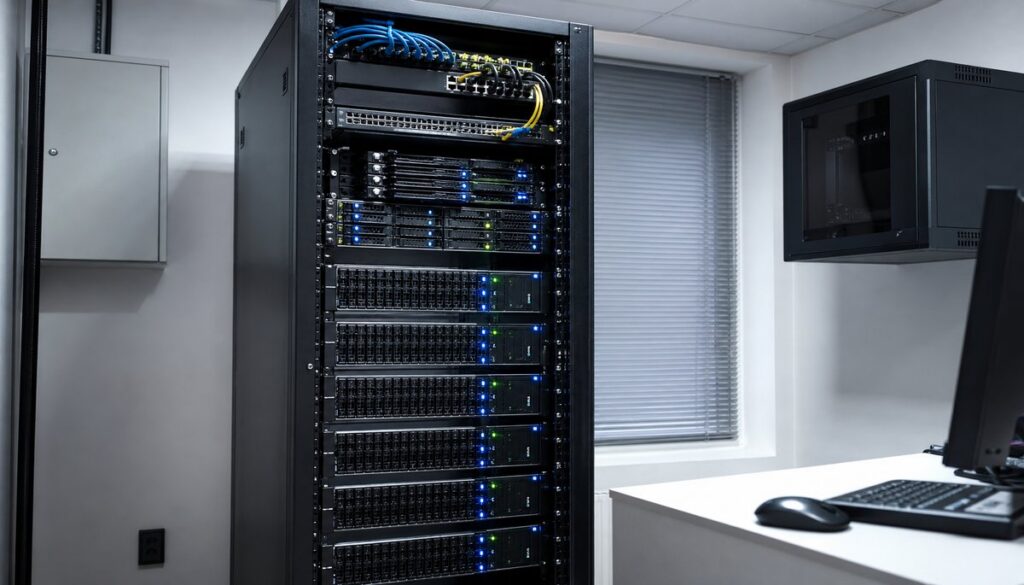
Office space is expensive. A proper server room — with cooling, structured cabling, and uninterruptible power supplies — takes up space and costs money to run. Consolidating ten servers into two physical hosts halves your power consumption and cooling requirements. For businesses paying commercial energy rates, that is a meaningful ongoing saving.
Key Benefits of Virtualisation for Small Businesses
Significant Cost Reduction
Fewer physical servers mean lower hardware purchase costs, reduced electricity bills, smaller cooling requirements, and fewer hardware maintenance contracts. A typical 20-person Manchester business switching from five physical servers to a two-host virtualised environment can save £8,000–£15,000 over a five-year period.
Faster Disaster Recovery
Virtual machines are, at their core, files. Backing up a VM means copying files to another location. If a physical host fails, you restore the VM to any compatible hardware in minutes rather than rebuilding a physical server from scratch over hours or days. Combined with a solid disaster recovery plan, virtualisation can cut your recovery time objective (RTO) from 24 hours to under two hours.
Better Business Continuity
Enterprise virtualisation platforms support live migration — moving a running VM from one physical host to another without downtime. This means you can take a host offline for maintenance during working hours without affecting your users. For Sale and Manchester businesses that cannot afford unplanned downtime, this is a significant operational benefit.
Improved Security Isolation
Running different services on separate VMs creates genuine security boundaries. If your accounting application is compromised, the breach is contained within that VM. Your file server and email are unaffected. This isolation is far better than running multiple services on a single physical machine. Your cyber security posture improves simply by virtue of better architecture.
Easier IT Management
Virtualisation management platforms give your IT team — or your managed IT support provider — a single console to monitor, start, stop, snapshot, and clone servers. Provisioning a new server for a new application takes minutes instead of days. Testing changes in a snapshot before applying them to production eliminates many of the risks that come with server maintenance.
Types of Virtualisation Worth Knowing
Server Virtualisation
The most common form. One physical server hosts multiple VMs. This is what most SMEs implement first and delivers the greatest immediate cost benefit.
Desktop Virtualisation (VDI)
Virtual Desktop Infrastructure hosts user desktops centrally rather than on individual PCs. Users connect to their virtual desktop from any device — a thin client, a tablet, a laptop. For businesses with remote or hybrid workers across Greater Manchester, VDI provides consistent, secure access without managing individual endpoint configurations. It pairs well with remote working infrastructure.
Network Virtualisation
Software-defined networking (SDN) virtualises network functions, allowing more flexible and secure network segmentation. Guest Wi-Fi networks, production server networks, and management networks can be separated logically without physical switches for each. This matters for network management as your business grows.
Storage Virtualisation
Pools physical storage from multiple drives or arrays into a single logical storage resource. Simpler management, better utilisation, and easier expansion without disrupting running VMs.
Virtualisation vs Cloud: What Is the Difference?
Cloud computing uses virtualisation behind the scenes, but they are not the same thing. With on-premises virtualisation, you own the hardware and control everything. With cloud services, a provider owns the infrastructure and you consume compute as a service.
Many Manchester businesses adopt a hybrid approach: virtualise on-premises for predictable workloads where they want control, and use cloud for variable workloads, backups, and disaster recovery. This avoids both the inflexibility of pure on-premises IT and the unpredictable costs of running everything in the cloud.
Is Virtualisation Right for Your Business?
Virtualisation is worth considering if your business has three or more physical servers, runs workloads at under 40% utilisation on average, faces an upcoming hardware refresh, or wants to improve disaster recovery capability.
It is less suitable if you have a single server with one application, run hardware that requires dedicated physical resources (some older specialist manufacturing software, for example), or have such limited IT support that managing a virtualisation platform would create more complexity than it solves.
Businesses under five staff may find that cloud-only infrastructure is simpler. The sweet spot for on-premises virtualisation is typically 10–100 staff with predictable server workloads.
Common Mistakes SMEs Make with Virtualisation
Under-specifying the host hardware is the most frequent error. VMs share RAM and CPU, so if the physical host is underpowered, every VM suffers. A proper virtualisation project starts with a workload assessment — calculating peak memory, CPU, and storage requirements across all planned VMs, then sizing hardware with 30–40% headroom for growth.
Skipping redundancy is the second mistake. A single physical host is a single point of failure. Even a basic two-host cluster with shared storage means that if one host fails, VMs restart automatically on the other. The hardware cost is higher, but the resilience is worth it for any business-critical environment.
Finally, treating virtualisation as a set-and-forget project creates problems. VMs sprawl — development VMs that were meant to be temporary become permanent, storage fills up, and nobody is sure what is running or why. Good virtualisation management requires the same governance as physical infrastructure, ideally handled by your IT support team.
Getting Started with Virtualisation
A typical virtualisation project for a Manchester SME runs through five stages: workload discovery and assessment, hardware specification and procurement, platform installation and configuration, VM migration from physical servers (P2V conversion), and testing before decommissioning old hardware.
The whole process typically takes two to six weeks depending on complexity, and can be completed with minimal disruption to daily operations when managed properly. PC Express IT handles virtualisation projects for businesses across Sale, Altrincham, Trafford, Salford, and Greater Manchester, from initial assessment through to ongoing management.
If you are running ageing servers and facing a hardware refresh decision, virtualisation is worth evaluating before you simply buy like-for-like replacements. Contact our team for a free infrastructure assessment.
Frequently Asked Questions
How much does virtualisation cost for a small business?
A basic two-host virtualisation cluster for a 10–30 person business typically costs £8,000–£20,000 for hardware, plus implementation. Licensing varies: Microsoft Hyper-V is included with Windows Server, while VMware licences add cost but offer more enterprise features. Open-source options like Proxmox VE have no licence cost. Most businesses recoup the investment within 18–36 months through hardware consolidation savings.
What is the difference between virtualisation and cloud computing?
Virtualisation runs virtual machines on hardware you own and control, typically on-premises. Cloud computing uses virtualisation technology owned by a provider — you consume compute as a service over the internet. Many businesses use both: on-premises virtualisation for predictable workloads and cloud for backup, disaster recovery, or variable-demand applications.
Can virtualisation improve our disaster recovery?
Yes, significantly. Virtual machines are essentially files, making them straightforward to back up and restore. If a physical server fails, you can restore the VM to any compatible host in minutes. Some platforms support automated failover, where VMs restart on a secondary host without manual intervention. This can reduce recovery time from 24 hours or more to under two hours.
How many virtual machines can run on one physical server?
It depends on the workload and hardware specification. A well-specified server with 256GB RAM and dual high-core-count processors can comfortably run 15–25 VMs for typical business applications. The key is accurate workload assessment before sizing the hardware. Overloading a host degrades performance for all VMs, so proper planning with headroom for growth is essential.
Is virtualisation suitable for businesses with just one server?
If your single server hosts multiple roles — file server, domain controller, email, and line-of-business application — virtualisation can still improve isolation and backup capability. However, without a secondary host you lose resilience benefits. For very small businesses with one server and limited IT support, cloud-based alternatives may be simpler to manage.
What virtualisation platforms should SMEs consider?
Microsoft Hyper-V is a strong choice for businesses already using Windows Server, with no additional licence cost. VMware vSphere offers enterprise-grade features and is well-supported. Proxmox VE is an open-source option with no licensing costs and an active community. The right choice depends on your existing environment, support requirements, and budget. PC Express IT can advise on the best fit for your situation.
Will virtualisation disrupt our business during implementation?
With proper planning, disruption is minimal. Physical-to-virtual (P2V) migrations can be completed outside business hours, and most services can be migrated with only brief planned downtime — typically 15–30 minutes per server during the final cutover. A phased approach, starting with less critical systems, reduces risk further. PC Express IT plans all virtualisation projects around your operational requirements.